Download Trading Partners
There are two ways to download trading partners from Oracle using the Integrator. More information about downloading can be found here.
Download via Sheet
When the option to ‘Download via Sheet’ is selected, the Integrator will use the data entered in the columns that allow sheet values to be used as the download criteria to download data to the sheet. These columns are indicated by a white triangle above the column name.
Trading Partner ‘Download via Sheet’ filters are:

Download via Sheet using wildcard value %
Utilize the wildcard % for Download via Sheet to retrieve data that partially matches your search criteria. For example, entering 'Demo%' will download all contracts starting with 'Demo.'

Note that query conditions on the sheet and in the Download sheet are treated as AND clauses rather than OR in the download query.
Download via Form
The Download Form will be displayed when the ‘Download via Form’ is selected. Here, you can enter values into the available fields to set the download criteria. You can search using a ‘%’ to see the available list of values to search. Click the ‘Download’ button to download data onto the sheet.
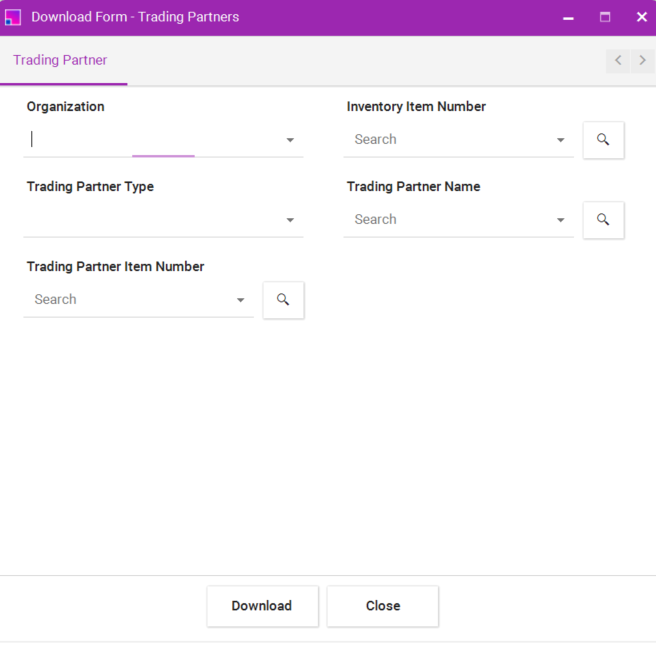
Example use of a Download Form to filter the download criteria
If you have a trading partner with three trading partner item numbers and you apply a filter by trading partner item number on the Download Form, the Integrator will only download trading partner where the trading partner item number matches the filter criteria. This means that only the trading partner associated with the specified trading partner item number will be included in the download, excluding any trading partner that do not match the filter. This functionality ensures that the downloaded data is relevant and specific to the trading partner item filter applied.
The Trading Partner3 below has 4 Trading Partner Items.

Enter the Trading Partner Item to be used as a filter on the Download Form.
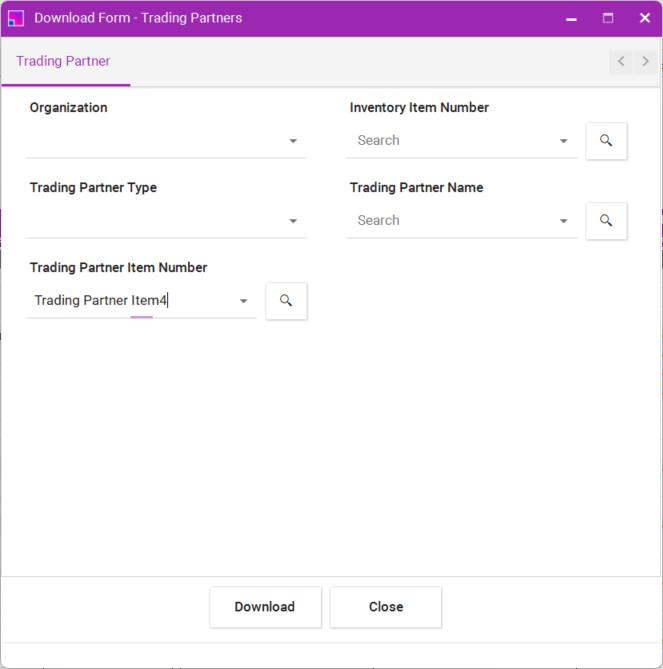
Trading Partner with the Trading Partner Item in the Trading Partner Items section that matches the search criteria will be returned to the sheet. No other Trading Partner Items that may exist against an trading partner will be download.
