Logging In
Click Login/Logout  on the More4apps ribbon.
If connections have already been set up, the Instance Alias/URL field will contain a list of available ERP Cloud instances. If no connections are available, refer to the Instance List section of the Installation documentation.
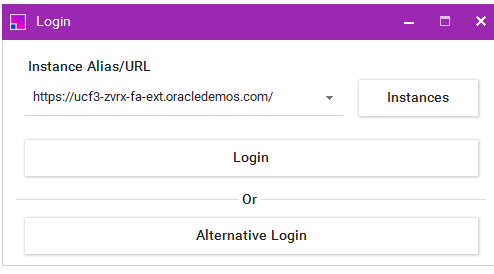
| Your last used Alias/URL will default when first opening the form. |
Click the 'Login' button. This will open the native Oracle Login of your instance. Enter your standard Oracle credentials and click Sign In.
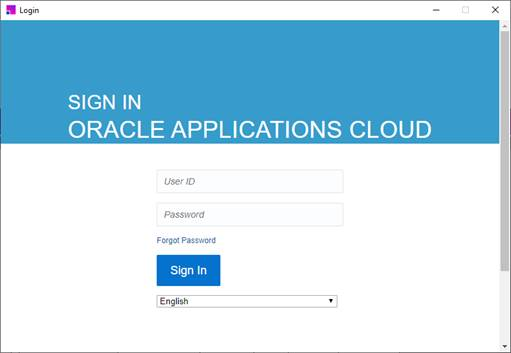
| Instances with or without Single Sign On (SSO) are both supported through the ‘Login’ button option. If the ‘Login’ option does not work, please try the ‘Alternative Login’ option. |
Enter your standard ERP Cloud credentials and click Sign In.