Edit an Existing Sheet
To edit an existing sheet ensure you have a sheet already created. If you need to create a new sheet, refer to the Generating a New Sheet section.
-
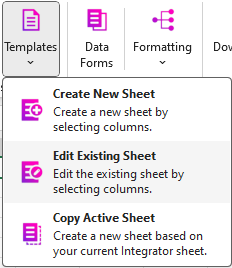
Click the Templates button
 .
. -
From the dropdown, click ‘Edit Existing Sheet’.
-
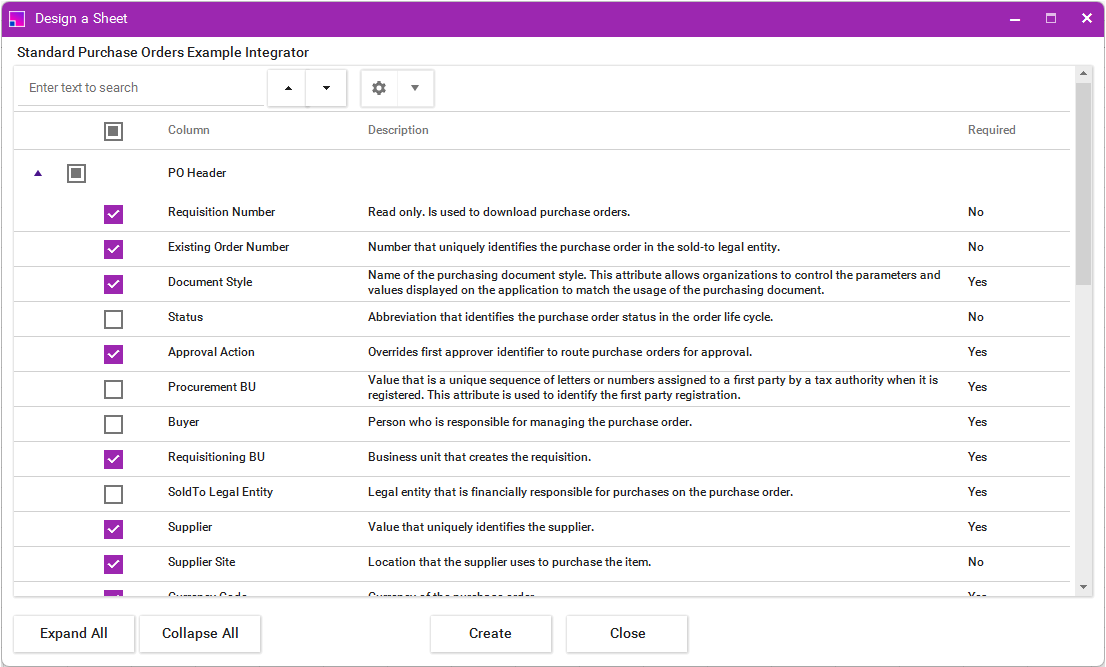
The sheet builder form will open, only having the fields that were in your existing sheet selected.
-
Using the check boxes, select to add or unselect to remove the fields you require. *
-
Once clicking ‘Create’ a new sheet will be created whilst still preserving your existing sheet.
| You can use the ‘Copy Active Sheet’ ribbon option to recreate your sheet layout if you already have all columns set up. |